Over the past few weeks, I have been working on a small pub/sub system called Tolstoy. It’s written from scratch in Go. You can check out the code here . This is just a quickstart guide for the project. If you have any suggestions or want to discuss anything, hit me up on my socials — I love talking tech!
Features
- Lightweight broker with configurable topics
- TLS support with optional mutual authentication
- Simple Go client SDK for producers and consumers
- Optional message persistence (append-only logs)
- Built-in benchmarking tools
Download and Setup
- Clone the repo:
git clone https://github.com/tervicke/Tolstoy - Change directory:
cd Tolstoy - Build the project:
make build
You will notice a TolstoyServer binary created.
Nice! You have now set up the server and are ready to run it.
Running the Server
The server expects a config file. See the sample config here
.
Let’s use the sample file and pass it to the server like this:
./TolstoyServer --config config.yaml
If you see something like this on your screen, you have successfully started the server running:
Pprof listening at http://localhost:6060/debug/pprof/
Loaded config successfully
Server started on localhost:8080
Writing a Consumer
Note : make the consumer and producer in a different folder and not in the folder where tolstoy source is stored
Tolstoy uses the concept of producers (publishers) and consumers (subscribers) inspired by Kafka. Let’s write a small consumer that subscribes to the topic mytopic and prints out all received messages.
Start by initializing a new Go project and installing the agent (Tolstoy SDK):
mkdir first_consumer
cd first_consumer
go mod init first_consumer
Once this is done, install the latest version of Tolstoy/agent:
go get github.com/tervicke/Tolstoy/@latest
Once installed, we can start writing the code. Create a new main.go file:
package main

import (
	"github.com/Tervicke/Tolstoy/agent"
)

func main() {
	myconsumer, err := agent.NewConsumer("localhost:8080", nil)
	if err != nil {
		panic(err)
	}
	defer myconsumer.Terminate()
}
Here we are just initializing myconsumer which is a pointer to the agent.Consumer. Run the program:
go run main.go
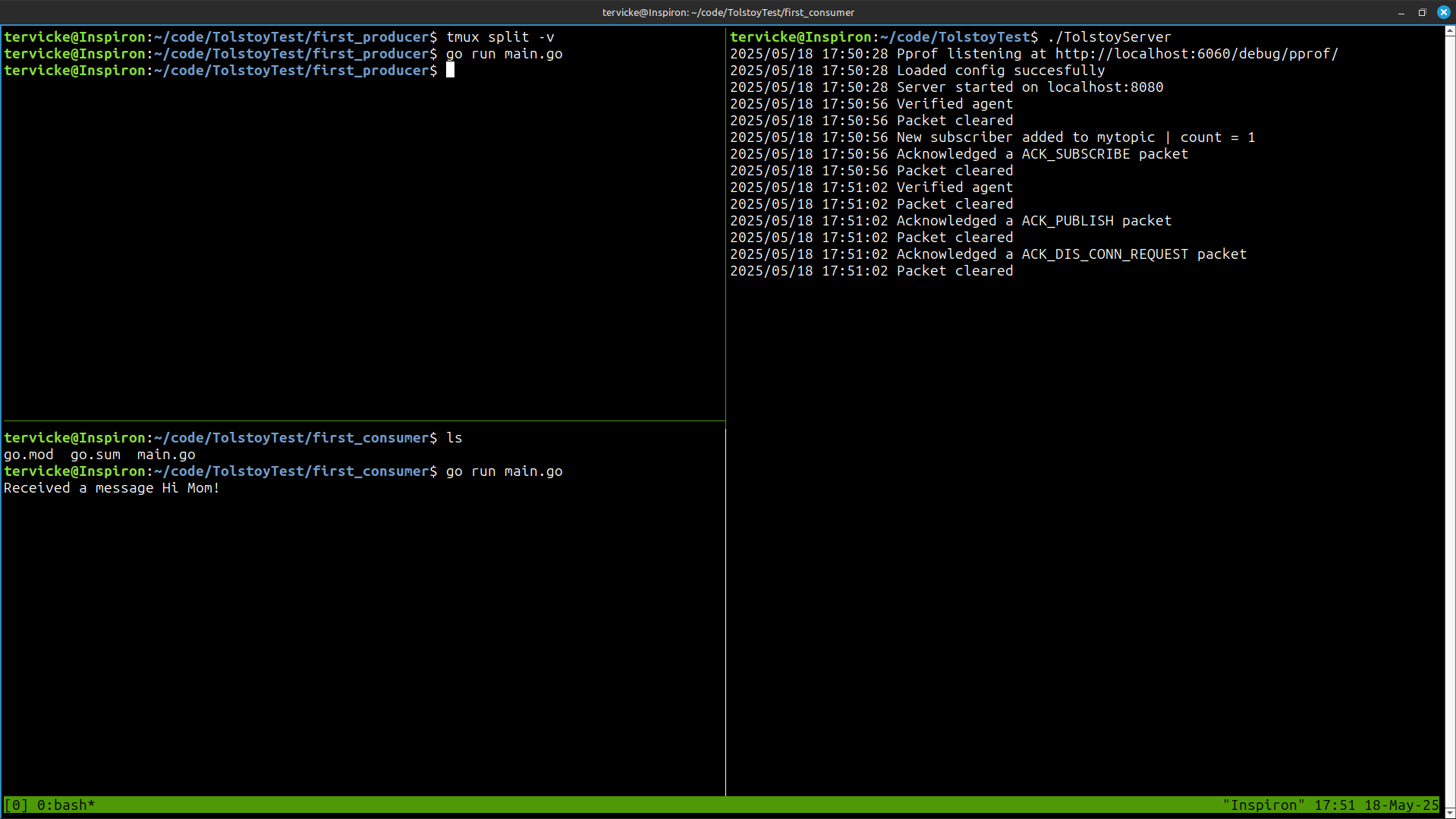
This small code basically connects to the server and then terminates. If you look at the terminal instance where you are running TolstoyServer, you will see some new logs indicating that an agent was verified and a packet was acknowledged — this was the verification packet.
Now let’s write a simple function to receive messages:
package main

import (
	"fmt"

	"github.com/Tervicke/Tolstoy/agent"
)

func main() {
	myconsumer, err := agent.NewConsumer("localhost:8080", nil)
	if err != nil {
		panic(err)
	}
	defer myconsumer.Terminate()

	myconsumer.Subscribe("mytopic", func(topic, message string) {
		fmt.Printf(" Received a message on topic %s: %s\n", topic, message)
	})

	select {} // Keep the main goroutine alive
}
Here, we call the .Subscribe method and pass the topic name mytopic, and also a lambda function that gets called when a message is received. We print the message with emojis . We also add select {} to keep the main.go running infinitely.
Writing a Producer
Let’s create a new Go project called first_producer, repeating the steps above:
mkdir first_producer
cd first_producer
go mod init first_producer
go get github.com/tervicke/Tolstoy/@latest
Now write the main.go file like this:
package main

import (
	"github.com/Tervicke/Tolstoy/agent"
)

func main() {
	myproducer, err := agent.NewProducer("localhost:8080", nil)
	if err != nil {
		panic(err)
	}
	defer myproducer.Terminate()

	myproducer.Publish("mytopic", "Hi Mom!")
}
As you can see, instead of using the consumer, we use the producer object and its .Publish method which takes the topic and the string message to send. If your consumer is still running, run the producer and you should see the message arrive in the consumer’s terminal.
If everything is set up correctly, you will see the message on the consumer side!